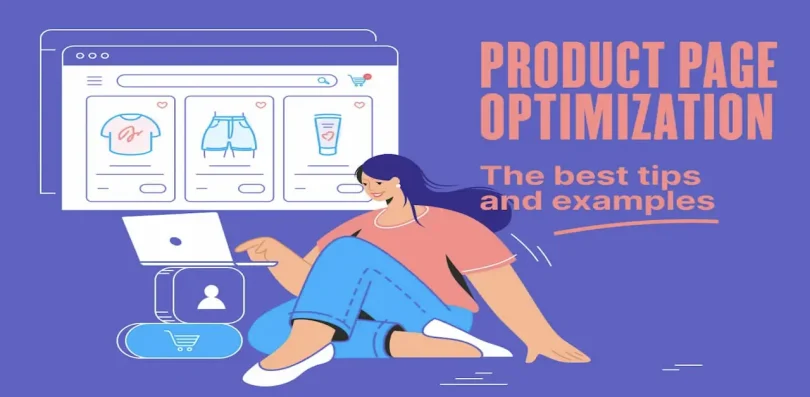

If you are running an online store, product page optimization is one of the most important things you can focus on to increase sales without increasing your advertising budget. Your product page is the final step before a customer decides whether to buy or leave, so even small improvements can make a big difference.
In this detailed guide, we will explore product page optimization in a practical and easy way so you can apply it directly to your store.
What is Product Page Optimization?
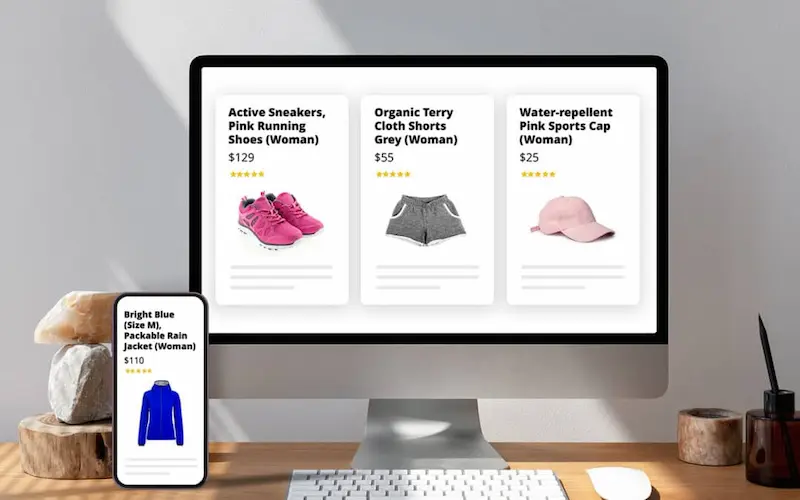
Product page optimization is the process of improving every part of your product page to increase conversions and sales.
It includes:
- Product titles
- Images and videos
- Descriptions
- Pricing structure
- Page speed
- Trust elements
- User experience
The main goal is simple: remove doubts and make it easy for customers to buy.
Why Product Page Optimization Matters
Most store owners focus heavily on getting traffic, but ignore what happens after visitors arrive. If your product page is weak, you will lose potential customers even if you have high traffic.
Product page optimization helps you:
- Increase conversion rate
- Reduce cart abandonment
- Build customer trust
- Improve SEO rankings
- Increase revenue without extra traffic
Even small improvements can significantly increase sales over time.
Key Elements of Product Page Optimization
To properly optimize a product page, you need to focus on several important areas.
1. Product Title Optimization
Your product title is the first thing customers notice, and it also affects search engine visibility.
A good product title should be:
- Clear
- Descriptive
- Keyword-rich
- Easy to understand
Example:
Bad: “Model X200”
Good: “Wireless Bluetooth Headphones with Noise Cancelling and Deep Bass”
A clear title helps both users and search engines understand the product instantly.
2. High-Quality Product Images
Images are one of the most important parts of product page optimization because customers cannot physically touch the product.
A strong image set should include:
- Front view
- Side and back angles
- Close-up details
- Product in use (lifestyle images)
- Size comparison if relevant
Best practices:
- Use high resolution images
- Keep backgrounds clean and simple
- Avoid blurry or low-quality photos
- Add zoom functionality if possible
Good images help customers trust the product more and reduce hesitation.
You may also like it:
Shopify Growth Tips To Increase Sales and Store Traffic
Online Store Growth Tips To Boost Sales and Traffic Fast
Winning Product Research Guide For Ecommerce Beginners
Find Trending Products Online For Ecommerce Growth
3. Product Descriptions That Sell
A common mistake is only listing features instead of explaining benefits.
Instead of writing:
“This product has a 10-hour battery life.”
Write:
“You can enjoy up to 10 hours of continuous use, so you don’t have to worry about frequent charging during travel or work.”
A good product description should:
- Start with a short problem or hook
- Explain how the product solves it
- Highlight benefits clearly
- Include technical specifications at the end
Focus on how the product improves the customer’s life.
4. Strong Call-to-Action (CTA)
Your call-to-action tells users what to do next.
Effective CTAs include:
- Buy Now
- Add to Cart
- Get Yours Today
- Shop Now
Avoid unclear phrases like “Click Here” or “Submit.”
The CTA should be visible, clear, and action-driven.
5. Customer Reviews and Social Proof
People trust other customers more than brands. Reviews help reduce hesitation and increase confidence.
You should include:
- Star ratings
- Written reviews
- Verified buyer labels
- Customer photos if available
Even a few honest reviews can significantly improve conversion rates.
6. Pricing Presentation
How you present your price affects buying decisions.
Best practices:
- Show original price with discount
- Highlight savings clearly
- Use clean formatting
Example:
Original Price: 99
Discounted Price: 59
You Save: 40
This creates value perception and encourages faster decisions.
7. Page Speed Optimization
A slow product page can reduce conversions significantly.
Common causes of slow pages:
- Large images
- Heavy scripts
- Poor hosting
To improve speed:
- Compress images
- Use optimized themes
- Remove unnecessary plugins
- Enable caching
Even a one-second delay can reduce conversions noticeably.
8. Mobile Optimization
Most users browse and shop from mobile devices, so mobile optimization is essential.
Your product page should:
- Load quickly on mobile
- Have readable text
- Use large, clickable buttons
- Avoid cluttered layouts
- Display images properly
A poor mobile experience can directly reduce sales.
9. Trust Signals
Trust is one of the biggest factors in online buying decisions.
Add elements such as:
- Money-back guarantee
- Secure payment badges
- Easy return policy
- Free shipping information
- Customer support details
These reduce hesitation and build confidence.
10. SEO Optimization for Product Pages
Product page optimization also includes search engine visibility.
Important SEO practices:
- Use the main keyword naturally
- Add meta title and meta description
- Use proper heading structure (H1, H2, H3)
- Optimize image alt text
- Include related keywords
This helps your product pages rank higher in search results.
11. Urgency and Scarcity Techniques
Creating urgency encourages faster decisions.
Examples:
- Limited stock available
- Offer ends soon
- Limited-time discount
These should be used honestly to maintain trust.
12. A/B Testing for Continuous Improvement
A/B testing helps you understand what works best for your audience.
You can test:
- Product titles
- Images
- CTA buttons
- Pricing formats
- Descriptions
Small changes can lead to major improvements in conversion rates.
Common Mistakes to Avoid
Many online stores lose sales due to simple mistakes:
- Low-quality images
- Weak or unclear descriptions
- No reviews or trust signals
- Slow loading pages
- Confusing pricing structure
- Poor mobile design
Fixing these can immediately improve performance.
Final Thoughts
At its core, product page optimization is about making the buying process simple, clear, and trustworthy.
When your product page:
- Loads fast
- Looks professional
- Clearly explains value
- Builds trust
- Removes confusion
Customers are more likely to buy.
Start by improving one section at a time and track your results. Even small changes can significantly increase your sales over time.
FAQs on Product Page Optimization
1. What is product page optimization?
Product page optimization is the process of improving a product page to increase conversions and sales. It includes improving product titles, images, descriptions, pricing, page speed, and trust elements to make it easier for customers to buy.
2. Why is product page optimization important?
It is important because most visitors decide whether to buy or leave based on the product page. A well-optimized page builds trust, reduces confusion, and increases the chances of converting visitors into paying customers.
3. What are the most important elements of a product page?
The most important elements include:
Clear product title
High-quality images
Persuasive product description
Strong call-to-action buttons
Customer reviews
Pricing clarity
Trust signals like guarantees and secure payments
4. How do product images affect conversions?
Product images have a major impact on buying decisions. Since customers cannot physically touch the product online, high-quality images help them understand details, build trust, and feel more confident about purchasing.
5. How long should a product description be?
There is no fixed length, but a good product description should be detailed enough to explain the benefits clearly. It should focus on solving customer problems, not just listing features.