
If you’re trying to grow your online business, shopify store optimization tips are one of the most important things you can focus on right now. The truth is, many people build a Shopify store and expect sales to come automatically—but without proper optimization, even a great product can get ignored.
So in this guide, I’m going to walk you through everything step by step, in a simple way, so you can actually improve your store performance, increase conversions, and make more sales using your existing traffic.
Understanding What Shopify Store Optimization Really Means
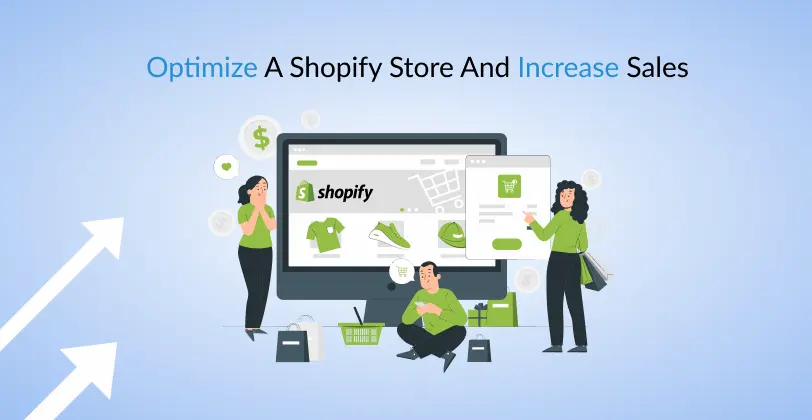
Before we jump into tactics, let’s clear this up.
Shopify store optimization is basically improving every part of your store so that:
- More people visit
- More people trust your store
- More people buy your products
It’s not just about design. It includes speed, SEO, product pages, checkout flow, mobile experience, and even how you write your content.
Think of your store like a physical shop—if it’s messy, slow, or confusing, customers walk away.
1. Build a Clean and Conversion-Focused Store Design
The first thing visitors notice is your design.
But here’s the mistake most beginners make: they try to make their store “fancy” instead of “functional.”
A good Shopify store should feel:
- Simple
- Easy to navigate
- Visually clean
- Trustworthy
What you should focus on:
- A minimal theme (avoid heavy animations)
- Clear menu structure (Home, Shop, About, Contact)
- Visible search bar
- Consistent colors and fonts
A well-structured store built on Shopify already gives you a strong foundation—but your customization is what makes it convert.
2. Speed Optimization: Every Second Matters
Speed is silent but powerful.
If your store takes more than a few seconds to load, many visitors will leave before even seeing your products.
To improve speed:
- Compress images before uploading
- Remove unnecessary apps
- Use lightweight themes
- Avoid autoplay videos on homepage
- Limit pop-ups
Even a 1-second improvement in loading time can significantly increase conversions because users stay longer and explore more.
3. High-Converting Product Pages
Your product page is where decisions happen.
A poorly written product page = lost sales. A strong product page = consistent conversions.
A strong product page includes:
Clear, benefit-focused titles
Instead of just naming the product, highlight what it does.
Detailed descriptions
Don’t just list features—explain benefits. For example:
- Instead of “water-resistant material”
- Say “keeps your belongings safe even in heavy rain”
High-quality visuals
- Multiple images
- Zoom-in option
- Lifestyle images (very important)
Trust elements:
- Reviews
- Ratings
- Guarantees
- Shipping info
4. Improve Your SEO for Free Traffic
SEO is one of the most powerful long-term strategies for your store.
If done correctly, you can get free traffic without spending on ads.
Key Shopify SEO tips:
- Use keywords naturally in product titles
- Write unique product descriptions (avoid copy-paste from suppliers)
- Add alt text to images
- Create blog posts around your niche
- Use internal linking between products and blogs
For example, if you sell skincare, you can write blogs like:
- “How to build a skincare routine”
- “Best products for glowing skin”
This brings organic traffic that can turn into buyers.
5. Improve User Experience (UX)
User experience is basically how easy it is for someone to shop on your website.
Ask yourself:
- Can users find products quickly?
- Is navigation smooth?
- Are categories clear?
Simple UX improvements:
- Add filters (price, category, size)
- Keep checkout button visible
- Reduce distractions on product pages
- Use clear CTAs like “Buy Now” or “Add to Cart”
The smoother the journey, the higher the chances of purchase.
6. Checkout Optimization (Where Sales Are Won or Lost)
This is where many stores lose customers.
A complicated checkout process = abandoned carts.
Fix this by:
- Allowing guest checkout
- Reducing form fields
- Offering multiple payment options
- Showing total cost clearly (no hidden fees)
The goal is simple: make buying feel effortless.
7. Build Trust With Social Proof
People don’t trust stores—they trust other people.
That’s why social proof is powerful.
Add:
- Customer reviews with photos
- Testimonials
- “Best seller” labels
- Real user-generated content
When new visitors see others buying and enjoying your product, it removes doubt instantly.
8. Use Apps Wisely (Not Excessively)
Shopify apps can help—but too many can hurt your store performance.
Be selective.
Useful app categories:
- Email marketing (for retention)
- Reviews (for trust)
- Upsell tools (for higher order value)
- Analytics tools (for tracking behavior)
But avoid installing unnecessary apps that slow down your store.
You may also like it:
Shopify Growth Tips To Increase Sales and Store Traffic
Online Store Growth Tips To Boost Sales and Traffic Fast
Winning Product Research Guide For Ecommerce Beginners
Find Trending Products Online For Ecommerce Growth
9. Mobile Optimization Is Critical
Most users shop on mobile, not desktop.
So your mobile experience must be perfect.
Check:
- Are buttons easy to tap?
- Is text readable?
- Do images load properly?
- Is checkout smooth?
If mobile experience is bad, you’re losing more than half of your potential customers.
10. Use Analytics to Make Smart Decisions
If you’re not tracking your store, you’re guessing.
Use analytics to understand:
- Where visitors come from
- Which products sell best
- Where users drop off
This helps you improve weak areas instead of guessing what’s wrong.
11. Retarget Visitors With Email Marketing
Most visitors won’t buy the first time.
That’s normal.
Email strategies:
- Abandoned cart emails
- Discount reminders
- New product announcements
- Seasonal offers
This brings customers back without spending extra on ads.
Final Thoughts
These shopify store optimization tips are not just theory—they are practical steps you can apply to improve your store immediately. The goal is not to do everything at once, but to improve step by step.
Focus on:
- Speed
- Design
- Product pages
- Trust
- Checkout experience
If you consistently improve these areas, your Shopify store will start converting better and growing more naturally over time.
And remember—optimization is not a one-time task. It’s something you keep improving as your business grows.
FAQs: Shopify Store Optimization Tips
1. What are Shopify store optimization tips?
Shopify store optimization tips are strategies used to improve your online store’s performance, design, speed, SEO, and user experience so you can increase traffic and boost sales. It’s about making your store easier to use and more attractive to customers.
2. Why is Shopify store optimization important?
Optimization is important because even if you have great products, a slow or confusing store can reduce sales. A well-optimized store helps you:
Increase conversions
Reduce cart abandonment
Improve customer trust
Rank higher on search engines
3. How can I improve my Shopify store speed?
You can improve speed by:
Compressing images before uploading
Removing unnecessary apps
Using a lightweight theme
Avoiding heavy animations and videos
A faster store improves user experience and increases sales.
4. What is the most important part of Shopify optimization?
The most important parts are:
Product page optimization
Website speed
Mobile responsiveness
Checkout simplicity
These directly impact whether a visitor becomes a buyer.
5. How does SEO help my Shopify store?
SEO helps your store get free traffic from search engines like Google. By optimizing product titles, descriptions, images, and blog content, you can attract customers without paying for ads.